

This step by step guide shows you how to recover the Firewall device's configuration if no access is no longer possible.
The recovery of the access depends on your device and the firmware loaded into it. Let's take a look at the different methods:
Note: regardless of the method, you will require a console cable to connect to the device
1. Configuration file recovery - Firmware older than 5.20 (or USG/Zywall series)
2. Reset admin password - Firmware on 5.20 or newer (VPN, USG FLEX, ATP)
1. Configuration file recovery - Firmware older than 5.20 or USG/Zywall series
1. Reboot the device
2. Enter debug mode and type
atkz –b
3. Enter the next command to start the reset
atgo
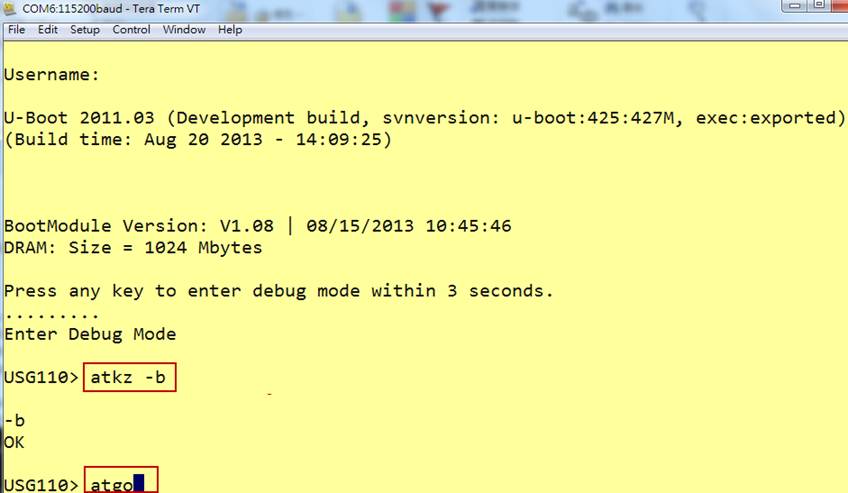
4. Now the device be will start with the system-default configuration and backup the old startup-config.conf to startup-config-back.conf on the USG.
5. After the USG is accessible via its default credentials and IP, download the startup-config-back.conf to replace the admin password.

a.) Find the line beginning with “username admin encrypted-password” in the startup-config-back.conf. The line should look like this:
username admin encrypted-password $4$encryptedpasswordencryptedpassword$ user-type admin
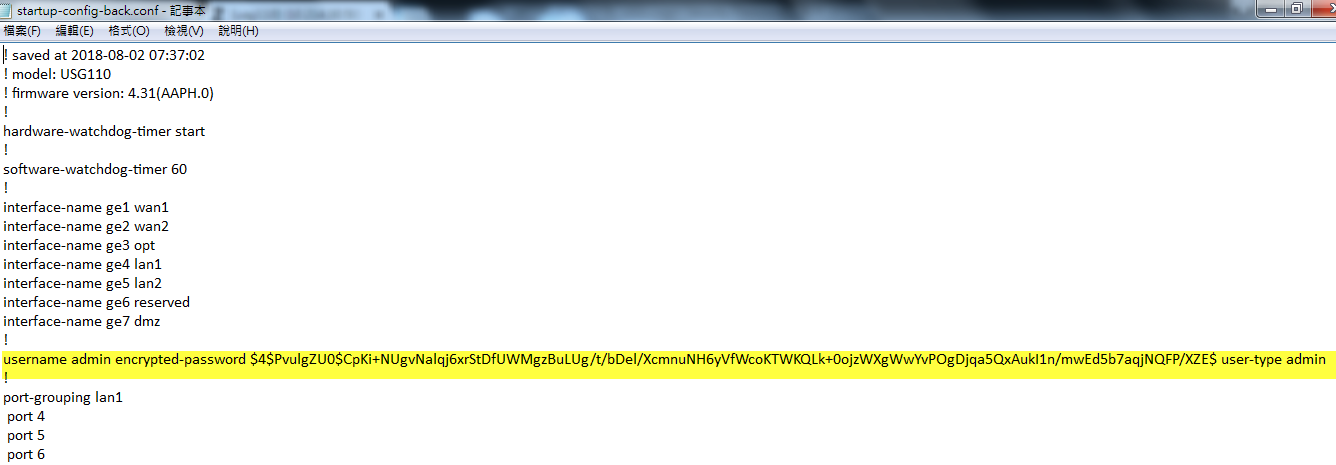
b.) Change the line to ("12345678" will be your new password)
username admin password 12345678 user-type admin
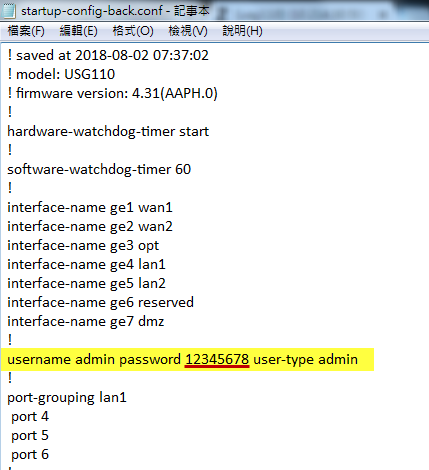
6. Save and rename the startup-config-back.conf, upload it back to the USG and apply it.
Now you can log in with the new password you set in step 5.
With this, access to your firewall was restored.
2. Reset admin password - Firmware on 5.20 or newer
From 5.20 firmware version, there's a possibility to only reset the password of the root admin without having to reset the whole device. The following are the steps:
Note: Console cable connection is needed to proceed
1. Reboot the device
2. Enter debug mode and type
atkz –g
This command resets the admin password.
3. Enter the next command to start the reset
atgo
This command quits the debug mode and reboots the device again.
4. After the device reboots, all your settings will remain excluding the "admin" password, which will now be the default 1234.
The admin password can now be changed again to secure your device, while you didn't lose any other configuration in the recovery process.
Comments
0 comments
Please sign in to leave a comment.